 COME
COMECOME notification badges are not account balances
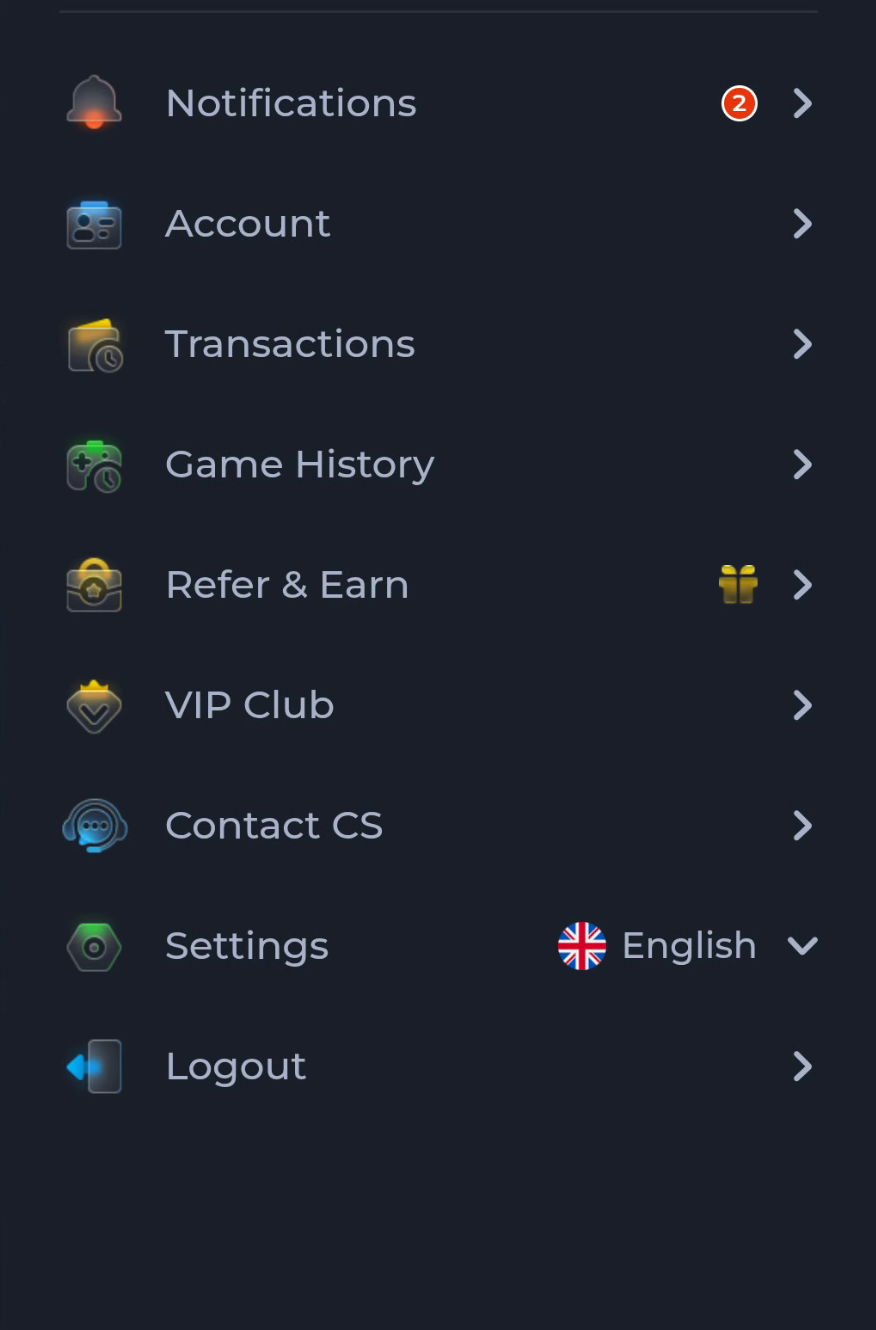
A small badge beside COME Notifications points to the notification area. Read the actual notice and relevant account record before interpreting it as a reward or money amount.
Identify the field before reading the number
The account menu places Notifications above Account, Transactions and Game History. A badge belongs to its neighbouring control. Its position helps distinguish a notice count from a balance, game result or referral amount. Open the notification area to understand what the notice says.
Follow the subject of the notice
For a statement about a transaction, use the appropriate service record; for a setting, use Settings. Do not reinstall the app merely to change a badge, and do not assume opening a notice completes a reward milestone.
Before moving to another task
Keep the current screen and the action you just took in mind. A menu label helps you locate information, but account changes, download completion and support decisions each need their own result. If the interface differs, match the actual label and context rather than following a memorised screen position. For a personal service question, stay with the recognised in-app help route and keep private access details out of public posts.
A practical example
The menu shows a red 2 beside Notifications. That visible number is not evidence of ₹2, two approved transactions or two completed referrals. Reading the notices is the next step; account outcomes require their own records.
What a completed answer looks like
You understand the notice subject and can identify the relevant account area without treating a badge as a financial result.
Choose another specific COME guide